Showing posts with label Facebook. Show all posts

Thursday, September 5, 2013

How to create a Facebook fan page

Facebook is the largest social media network in the world. It is the best place to promote your brands throughout your country or the world. Facebook has become a giant marketing tool for many brands. When introducing a product or a brand over social networking sites, it will go viral and increase your business. This is a latest strategy widely implemented by all big company to reach the products to the target customers or audience. Here the company is not going to spend even a penny to promote the products.

Big or small, anything can be promoted on Facebook. For example, you can promote a very expensive car as well as a small website. It may create a tremendous progress tendency with overnight.

If you want to promote a brand on Facebook, you need to create a fanpage. This tutorial covers only things that how to create a Facebook fan page for your business website or blog. Meantime I would like to mention one thing that there is no big difference in creating a fan page for other products too.

Step by step tutorial

After logging in, just head over to www.facebook.com/pages. Click ‘Create Page’ button.
First Facebook offers you six category options in order to build a close relationship with your audience or customers. I.e. it ensures the page will reach the target audience.



Here you need to select ‘Brand or Product’ option and then you are prompted to choose a category from the long drop down menu. Scroll the menu till the end and choose ‘Website’. Add your brand name for your website. This name will appear on the fan page. Therefore the name must be clear. Don’t use hyphen or any confusing character. [It doesn’t mean the name must not have these characters. You can use any characters to create a name.] The name may not be unique. This is like your name.  Sometimes someone might have used the name before. Just type “Gagnam Style” in Facebook Graph Search Box; you will see several pages have been created with the same name. The things only depend how you promote your brand. Tick the cheque box to agree to Facebook Pages Terms and click ‘Get Started’.


Now it is the time for setting up your page. Add a small description about your brand that will help to improve the ranking of your Page in search. For example your website carries the things regarding only mobile gadgets. You may describe like ‘This is a website for latest gadgets of iPhone, Samsung, Nokia and etc.”
Next add your website address. You may use temporary address as it’s not compulsory. You can then customize it. Click ‘Save info’ button.

Add a unique profile picture. Don’t use pictures downloaded from other websites. You may face copyright problem. Use your picture or create a unique picture using an image editing tool.

Now almost done. Invite your friends to like your page.


Tuesday, August 27, 2013

Facebook emoticons and funny symbols

An emoticon is a pictorial representation of a facial expression frequently used in social networking sites to draw the receiver’s attention. These symbols are interesting, expressive and beautiful. An emoticon is powerful than a text.

It expresses a person's feelings or mood and can include usually punctuation marks numbers and letters, as well. In the most recent years, as the epidemic of social media and texting is at an all time high, emoticons have played a significant role in communication through technology. These emoticons offer another range of "tone" and feeling through texting that portrays specific emotions through facial gestures while in the midst of cyber communication.

Here I displayed some general emoticons widely used by FB users.


Funny Symbol and Characters
I was astonished how some friends create funny texts and character. Then I learnt that some web apps offer facility to create funny texts.

fsymbols.com
fsymbols.com is one of the best websites to make such funny text and emoticons. Just head to the website and click button ‘Carty’, ‘Tarty’, ‘Rusify’, ‘Encool’ or ‘Flip’. Now type your text in the left box. Simultaneously you text will be converted to the funny symbol. Copy the symbols and paste in your Facebook wall.


You can also create your own text art or ASCII art for Facebook using this web app.


Symbols-n-emoticons.com
This website provides you new Facebook chat emoticons. These are cool and larger than normal ones. You’ll be able to share precisely how you feel with your FB friends. Just select an emoticon and get the code to paste in Facebook.

Monday, July 29, 2013

How to Sign Out Facebook Remotely

Sometimes you may forget to log out your Facebook account after using it at office, net cafĂ© or your friend’s house. If the PC you used is online, anyone can misuse your Facebook account. Don’t worry. Facebook offers you an option to log out your Facebook account remotely. You can also use your mobile phone to do this task.

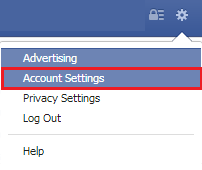
To get started, log in your Facebook book account from your home PC or mobile phone [I did it with Opera in mobile]. Go to ‘Account Settings’ and click ‘Security’ at the left panel.


Now click 'Edit' against ‘Active Sessions’ to notice your recent activities. Each activity shows the device and the browser you logged in recently and also shows date, time and location. If any information seems suspicious, click “End Activity” to log out the account from the device remotely.


After clicking 'End Activity' button, the remote PC will show this message.

Tuesday, July 9, 2013

Get ready for Facebook Graph Search

I want to learn some interesting facts about Taj Mahal. I have several options though but learning something from my friends is quite interesting. Here Facebook Graph Search is going to help me to find my friends by simply typing the words “My friends who visited Taj Mahal”. It will immediately list out friends who made a visit there.

Facebook has started rolling out the new Graph Search to U.S. users yesterday. People who speak U.S. English will have the facilities in the next few weeks.

As everybody knows that the mission of Facebook is ‘Make the world more open and connected’. With this concept, Facebook introduced the beta version of Graph Search at the beginning of the year. A few people were permitted to handle this tool and to learn how it works.

Graph Search is not a web search. It is specially designed for users of Facebook which holds a trillion of connections with a big and changing graph. In general, the web search is designed to take any open- ended range queries and return to you links that may have the answers to the questions you might be trying to ask. The Graph Search is quite different. It is designed to take a precise query and returned to you the answer not the links.

The people connected, photos, places and interests are the four main types of search helping you to find the people and things from the Facebook.

Facebook promise you the Graph Search is privacy aware. It says that you can only search for content that has been shared with you. . Graph Search is also integrated with Microsoft's Bing.

Find the people by typing in the Graph Search box like “My friends who like Star Wars” or “Photos of my friends taken in Singapore” it will immediately produce the results with list of friends or photos that we asked and it also gives how many friends or photos are connected to. “Movies my friends like” gives the list of movies that your friends like. You can extend your search into friends of friends. For instance, if you want to find the list of men of your friends of friends who are not married, simply type “Friends of friends who is a single man”.


Wednesday, July 3, 2013

How to control Facebook tagging

If you are very concern about your profile view, you need to do some more things. In my last Facebook tutorial, I explained how to prevent people from posting on your wall. Here I am going to give some tips to control your Facebook tagging.

Many of you have bad experienced with annoying tags. Some friends have a habit of tagging all his friends in his entire photos even if you are not in. You will be terribly irritated by the notifications made by comments.

Unfollow Post
Following post means you are aware of what is going on with a group post. Every time anyone of the group, does a comment on the post, a notification will appear. If you click Unfollow post beneath the post, you will not receive any notifications in this regard.


Timeline Review
Timeline Review is one the feature provided by Facebook which allows you to manually approve every post you are tagged in before they are published on your timeline. This sort of feature stops to publish anything automatically on your timeline.

However it does not control the posts appearing in search or news feed.


How can we control this?

Go to Privacy Settings > Timeline and Tagging. Under the ‘Who can add things to my timeline?’ section, click the Edit against ‘Review posts friends tag you in before they appear on your timeline?’. Click the drop down button and select ‘Enabled’.


Since then, you are notified on Activity Log. Click Activity Log button, it will list out the posts waiting for your approval. Click top right corner button of each post and select Report / Remove Tag. Now you will have two options to remove the tag or remove the post from the Facebook.